
Checking vehicle insurance details online helps vehicle owners verify policy validity and review available registration records. Government transport services provide digital access to selected vehicle information, reducing the need to visit a Regional Transport Office (RTO) for routine checks. Knowing which services to use and what details to verify can help you identify outdated records and keep your vehicle documents up to date.
Which government services provide vehicle details online?
The Ministry of Road Transport and Highways (MoRTH) provides digital transport services through platforms such as Parivahan and the mParivahan mobile application. Depending on the service and available records, these platforms can help users access vehicle registration information and selected details associated with a registered vehicle.
Parivahan offers online transport-related services, while mParivahan provides access to selected vehicle and driving licence information. The information available may depend on the vehicle record, verification requirements and service availability.
These platforms can help when you need to confirm vehicle details before renewing a policy, purchasing a used car or reviewing your records. However, not every insurance document or policy condition will necessarily appear on a government portal.
For complete policy information, including coverage dates, exclusions and insured details, refer to the insurer-issued policy document or contact the insurer. Government records and insurer records serve different purposes, so use the appropriate source for the information you need.
How can you verify insurance details online?
You can use available government transport services to review vehicle records and locate insurance information where it is displayed. To check car insurance details, follow these steps:
- Open an official service: Visit the Parivahan website or use the official mParivahan application.
- Choose the relevant service: Navigate to the available vehicle information or registration-related section.
- Enter vehicle details: Provide the registration number and any additional information requested.
- Complete verification: Follow the on-screen instructions, including any authentication steps.
- Review the record: Check the available insurance validity information and compare it with your policy document.
The exact navigation and information displayed may change as digital services are updated. Some records may require additional verification or may not be available for every vehicle.
Review the policy validity date and vehicle registration details carefully. If the information appears incorrect or outdated, confirm the current status with your insurer before assuming that the policy has expired or is invalid.
What details should you verify in the insurance record?
After accessing the available vehicle information, review the details that help establish whether the online record matches your documents.
- Registration number: Confirm that the displayed number matches your registration certificate.
- Insurance validity: Review the recorded validity date, where available, to identify whether renewal may be required.
- Vehicle information: Compare the make, model and other displayed details with your registration documents.
- Policy schedule: Review the insurer-issued document for the policy number, coverage period and insured vehicle details.
- Discrepancies: Contact the insurer if the online record differs from your policy document or the information is missing.
A government portal may not display every detail needed to understand your insurance protection. A validity record, for example, does not explain exclusions, deductibles, add-on benefits or the conditions governing a claim.
If you are purchasing a used car, ask the seller for the current insurance document and confirm that the vehicle details match the registration records. Also verify the process for transferring the policy, where applicable, rather than assuming the existing insurance automatically provides complete protection to the new owner.
How does a PUC certificate affect vehicle compliance?
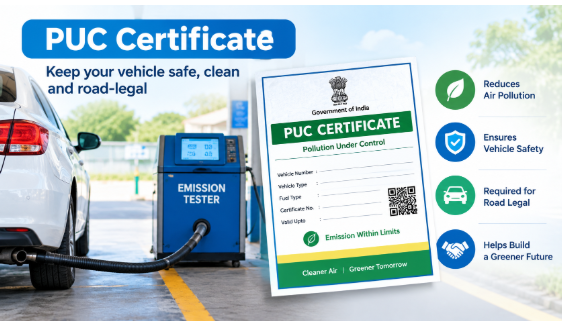
A pollution under control (PUC) certificate records whether a vehicle has met the applicable emission requirements at the time of testing. It is separate from motor insurance, and the two documents serve different purposes.
A valid PUC certificate is generally required for vehicles covered by India’s applicable emission-testing rules. Owners should check its validity and arrange a new emissions test when required. Testing requirements and procedures may vary according to the vehicle category and applicable regulations.
You can use the relevant official transport or emissions-testing service, where available, to review certificate information. Online options depend on the service and the vehicle’s records.
Although a PUC certificate is not an insurance policy, keeping both documents current supports compliance with applicable vehicle requirements. An expired emissions certificate does not, by itself, establish that an insurance policy has expired. Similarly, valid insurance does not remove the obligation to meet applicable pollution-control requirements.
What should you do if the online details are incorrect?
Online records may occasionally be incomplete, delayed or inconsistent with the documents you hold. If you notice a discrepancy, avoid relying on a single screen to determine your vehicle’s status.
First, compare the displayed information with your insurance policy and registration certificate. Check that the registration number and policy dates are correct.
Next, contact your insurer if insurance details are missing, incorrect or not updated after renewal. Keep your policy number, registration details and payment confirmation available, if relevant, to help the insurer investigate the issue.
If the discrepancy concerns registration records, use the appropriate official transport service or contact the relevant RTO. For emissions-related records, contact the authorised testing centre or relevant service provider if the certificate details cannot be verified.
Keep copies of your latest documents until the discrepancy is resolved. If your policy is close to expiry, confirm its status directly with the insurer and arrange renewal in time rather than relying solely on an online record.
Conclusion
Government transport services can help vehicle owners review selected registration and insurance details online. Verify the available information against your policy document, resolve discrepancies with the relevant authority or insurer, and keep required vehicle documents valid. Regular checks can help you identify missing information and address renewal requirements in time.